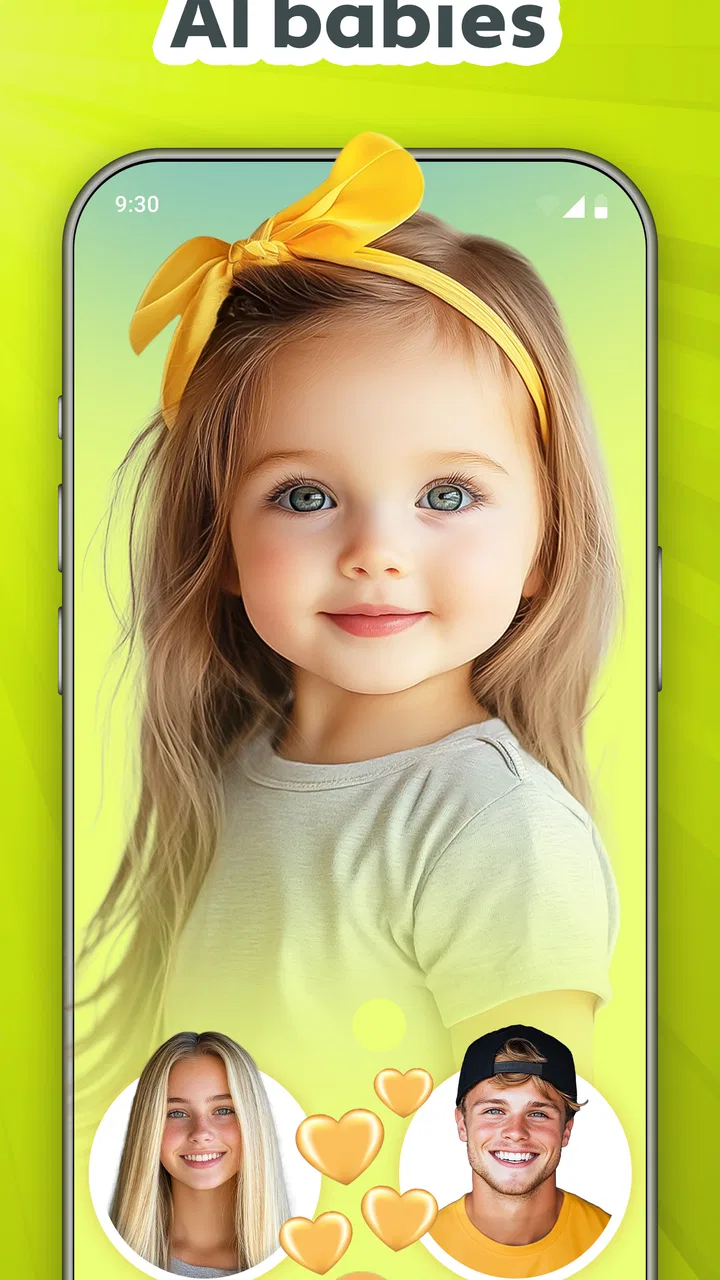
Future Baby Generator, AI Baby
- 4.4
- Rating
- 5.00M
- Installs
- Free
- Price

 Analysis by App-foxy
I approached Future Baby Generator, AI Baby as a lighthearted photography app rather than a serious prediction tool. Its central idea is simple: use photos to create an imagined view of what a future child might look like. That single capability is the reason to install it, and it is also the main reason to keep your expectations realistic. In my experience, the most enjoyable results come from treating the app as a playful visual experiment for couples, friends, or curious family members, not as a scientific answer.
The app sits in the photography category and is developed by AI Photo Generator, AI Chat. It is free to install, with optional in-app purchases ranging from $2.99 to $39.99 per item. It is rated for Everyone, which fits its casual, family-friendly concept. The app has reached over 5 million installs and holds a 4.4 average from around 63 thousand ratings, so it is clearly attracting people who want to try this particular kind of AI image generation rather than a broad photo-editing suite.
What the future baby image really offers
The appeal is immediate: instead of adjusting brightness, removing objects, or adding decorative effects, I can use a personal photo as the starting point for an imagined baby face. That makes the result feel more personal than a random AI portrait. The generated image is not simply a generic child illustration; the whole point is to explore a visual “what if” based on the people shown in the source material.
You May Also Like

 Blood Strike: 2.5 Anniversary
Blood Strike’s Loadouts Turn Every Drop Into a Tactical Gamble
A close look at Blood Strike’s custom loadouts: how fast access to signature weapons reshapes its battle royale rhythm, rewards preparation, and narrows the gap between fights.

 Pandora - Music & Podcasts
Pandora’s Music Is Easy to Start, but Harder to Recover
Pandora’s strength is its low-effort path from a seed to a station. Its weak spot is how much confidence it asks you to place in connection, setup, and quiet recovery.

 8 Ball Pool
 Is Built on Rivalries, Rematches, and Routine
A close look at the rivalries, rematches, shared routines, and unanswered safety questions that turn a quick pool match into a persistent mobile community.

 Samsung Music
’s Quiet Strength Is Playing What You Already Own
Its reach comes less from spectacle than from dependable access to a personal library. That simplicity is both the app’s strongest retention engine and its ceiling.

 AccuWeather: Weather Radar
AccuWeather Review: A Quick, Clear Forecast for Everyday Decisions
For everyday plans, the best forecast is the one you can understand quickly. AccuWeather makes rain timing, radar, and local conditions easy to act on, with a few trade-offs.

 Hill Climb Racing
Why Hill Climb Racing Still Turns Crashes Into One More Run
A tiny car, a bumpy hill and one more upgrade: Hill Climb Racing keeps resurfacing because its simple chaos makes every near-miss feel personal.
More From Our News Desk



That distinction matters. I would not use the result to make claims about genetics, medical traits, or a child’s actual future appearance. The app is best understood as an entertainment-focused AI baby generator. It produces a creative interpretation, and the fun is in comparing different results and discussing which features seem familiar. When I used it with that mindset, the experience felt charming. When I expected a precise family resemblance, the limitations became much more obvious.
The strongest use of the app is social. A generated baby portrait can become a conversation starter during a date, a family call, or a casual evening with friends. It gives people something concrete to react to instead of asking them to imagine an abstract possibility. Even a result that looks unusual can be entertaining because the discussion shifts from “Is this accurate?” to “Which eyes, smile, or face shape does this remind you of?”
The important takeaway is that the image is a playful interpretation, not a forecast. Keeping that distinction in mind improves the experience and prevents the app from being judged by a standard it was never designed to meet.
Starting with the right photos
The quality of the source photos has a noticeable effect on how satisfying the output feels. I get more useful-looking results from clear, front-facing portraits where the face is easy to see. A dark image, a strong side angle, sunglasses, heavy filters, or several people crowded into one frame can make the visual result harder to interpret. This is not a special trick unique to this app; it is a practical reality of asking an image generator to work from limited visual information.
For a couple trying it together, I would choose two separate portraits with similar framing rather than grabbing two unrelated pictures from a busy group photo. Similar lighting also helps the final image feel more coherent. If one face is brightly lit and the other is hidden in shadow, the generated result may seem less convincing simply because the starting material is uneven.
There is also a useful emotional advantage to selecting photos deliberately. Choosing a recent, relaxed portrait makes the activity feel more personal, while choosing funny or exaggerated pictures turns it into a joke. I would avoid using an image that includes someone who has not agreed to participate, especially if the result is going to be shared beyond the people making it.
How the experience works in everyday use
The basic workflow is approachable for someone who has never used an AI photo tool. I would open the app, provide the relevant photo input, and follow the generation process until the imagined baby portrait appears. The attraction is that there is no need to understand layers, masks, brush tools, or complicated editing controls. Compared with a traditional photography editor, this is much closer to choosing a creative direction and waiting for an interpretation.
That simplicity is helpful, but it also means I have less control over the final face than I would have in a conventional editor. I cannot manually decide every feature in the same way I could adjust a color, crop a frame, or retouch a specific area. The app’s value comes from surprise. If you want to design a precise character with a selected hairstyle, expression, background, and outfit, a general AI image creator or a full photo editor may suit you better.
I also recommend looking at the generated image as a complete composition rather than zooming immediately into one facial detail. AI-created faces can look appealing at first glance but less natural when inspected closely. Small inconsistencies may distract users who are expecting a polished portrait. For a casual result viewed on a phone, that may not matter much. For printing, framing, or presenting the image as something realistic, it matters considerably more.
Another practical question is whether the free experience is enough. The app itself is free, but optional purchases are available, so I would explore the basic workflow before spending anything. A person who only wants to try the concept once may find the free access sufficient. Someone planning repeated generations should pay attention to any purchase prompt and decide whether the entertainment value justifies the cost. I would not buy an item impulsively simply because one result was disappointing; first I would improve the source photos and try the process again.
A realistic family and couple scenario
Imagine a couple relaxing at home after looking through old family photographs. One person finds a clear portrait of themselves, the other selects a similarly framed picture, and they use the app to create an imagined baby face. The result becomes part of the conversation: perhaps one person sees a familiar smile, while the other notices that the image looks more like a playful illustration than a family resemblance. That is exactly where the app works best. It adds a visual prompt to an ordinary conversation without requiring technical skill.
The same workflow can work for a family gathering, but I would keep the tone respectful. Relatives may enjoy comparing the generated face with childhood photographs, yet not everyone will appreciate having their image used without asking. I would also be careful with children’s photos. Even when the activity is harmless, sharing generated family images publicly can create a different level of exposure than keeping them inside a private chat or showing them on the phone.
For a friend’s party, the app can be amusing when everyone understands that the output is fictional. It is less suitable if people are likely to treat the generated face as evidence of what a future child will actually look like. The best results come from setting that expectation before the image appears, not after someone has already taken it seriously.
Where it differs from ordinary photography apps
Most photography apps begin with an existing picture and help me improve it. They offer familiar tasks such as cropping, color correction, portrait retouching, collages, or filters. Future Baby Generator takes a different route: it uses photography as an input for imaginative transformation. I am not polishing a memory; I am asking the app to create a new visual possibility.
That makes it more focused than a general photo editor, but also less versatile. If my goal is to prepare a social media image, fix a poorly exposed photo, or create a carefully designed collage, I would choose a conventional editing app. If I want a broad collection of AI effects, a general AI art tool may offer more creative directions. This app makes more sense when the specific baby-face concept is the reason I opened it.
It also differs from manually combining two portraits. A person could use editing software to place faces together or create a collage, but that would not produce the same imaginative middle ground. Manual editing gives more control over layout and appearance, while this app gives up control in exchange for a generated interpretation. That trade-off is central: the app saves effort, but I accept that the result may not match my mental picture.
Limitations I noticed before recommending it
The biggest limitation is the gap between a fun visual resemblance and a trustworthy prediction. Facial appearance involves far more than the visible features in two photographs, and an AI-generated image cannot turn a playful concept into certainty. I would be especially cautious around conversations involving pregnancy, fertility, or family planning, where an entertaining image could be misunderstood or emotionally overvalued.
Source-image dependence is another weakness. A poor portrait can lead to a result that feels generic, awkward, or unrelated to the people involved. Users who download the app expecting every attempt to look polished may become frustrated. My practical advice is to try a better-lit, unobstructed portrait before concluding that the app itself has failed.
The limited control can also be frustrating. The app’s appeal is its simplicity, but simplicity means fewer ways to correct a result. If the face has an expression you dislike or a style that feels too artificial, I cannot approach the problem like a normal retouching task. I may need to change the input rather than edit the output, which can feel inefficient for users accustomed to detailed creative tools.
There is a financial trade-off as well. The app is free, but optional purchases can cost from $2.99 to $39.99 per item. That broad range makes it sensible to decide how often I expect to use the app before paying. A one-time curiosity and a repeated family entertainment habit are very different use cases. I would also avoid assuming that paying automatically solves every quality issue; better inputs and realistic expectations still matter.
Privacy is worth considering in a practical, everyday way. Because the concept depends on personal faces, I would think carefully before selecting photos of other people, especially children or relatives who are not present. I would use images I have permission to use and share the final result only with people who understand its fictional nature. That is good digital etiquette for any face-based creative service, and it is particularly relevant here because the subject may be an imagined child.
Small workflow improvements that make the result more enjoyable
My first tip is to prepare a small set of suitable portraits instead of repeatedly submitting the first photo I find. A forward-facing image with a clear expression is a better starting point than a dramatic selfie with a tilted camera. This takes only a moment and can make the comparison between results more meaningful.
My second tip is to save the conversation for after the image appears. Before generating, I try not to decide which parent the result “should” resemble. That expectation can make a neutral output feel disappointing. It is more enjoyable to notice what the image suggests and then compare those impressions with family photos or personal memories.
My third tip is to treat repeated attempts as variations, not corrections toward truth. If I generate another image, I am exploring a different creative outcome rather than getting closer to a medically or genetically accurate answer. This mindset prevents the common mistake of selecting the most flattering image and calling it the most realistic one.
A fourth useful habit is to keep the sharing context private and light. Sending the image to a partner or close friends can be fun. Posting it publicly with serious wording can invite confusion, unwanted comments, or assumptions about private family plans. The app works best when the audience understands the joke and the image remains part of a personal conversation.
Who will get the most from it
I think the best audience is couples who want a quick, playful activity, friends looking for a conversation starter, and families who enjoy comparing imagined faces with childhood photographs. It is also a reasonable introduction to AI image generation for someone who finds full creative platforms intimidating. The focused purpose keeps the learning curve low: I do not need to master a complicated interface to see what the app is trying to do.
People who should skip it include users seeking scientific accuracy, detailed portrait control, or a complete photography toolkit. It is also a poor fit for anyone uncomfortable with using personal faces in an AI-based image workflow. A standard photo editor is better for practical image improvement, while a broader AI art app is better for users who want to control style, setting, clothing, and composition.
The age rating of Everyone makes the concept accessible for general audiences, but I would still guide younger users through the social side of using family photos. An age label does not remove the need for consent or context. The activity should remain a harmless creative exercise, not a way to pressure someone into discussing private family decisions.
My recommendation after using the concept as intended
Future Baby Generator, AI Baby succeeds when I use it for exactly what it is: a focused, casual photography experience built around imagining a future child’s face. The idea is more personal than a random AI portrait, and the low-complexity workflow makes it easy to try with a partner or a group of friends. Its large user base, free entry point, and 4.4 average suggest that the concept has broad appeal, and I can understand why.
At the same time, I would not recommend it as a prediction service or as a replacement for a serious photo editor. The generated image depends heavily on the photos I choose, the output may not look fully natural on close inspection, and optional purchases deserve careful consideration. The current version is 2.9.31 and supports devices running Android 7.0 or later, which makes it approachable for many Android users, but the practical value still comes down to expectations and source material.
My honest verdict is that it is worth trying if you want a lighthearted, personal AI photo experiment and you are comfortable treating the result as fiction. I would start with clear portraits, avoid making claims about accuracy, and use the free experience before considering any purchase. For a relaxed evening conversation, it can deliver a memorable laugh or a surprisingly sweet moment. For precision, privacy-sensitive work, or serious family planning, I would choose a different kind of tool.
FAQs for Future Baby Generator, AI Baby
01What is the Future Baby Generator, AI Baby app?
The Future Baby Generator, AI Baby app is a fun and interactive application that uses AI technology to predict what a future baby might look like by combining two photos. Users can upload images of two parents, and the app generates a baby picture based on the features of both individuals. It’s designed for entertainment and should not be taken as a true prediction.
02How accurate is the Future Baby Generator, AI Baby app?
The app is primarily for entertainment purposes and does not provide scientifically accurate results. The generated images are based on AI algorithms that analyze facial features from uploaded photos, but the output is a playful guess rather than an exact prediction of a future child's appearance.
03What are the main features of the Future Baby Generator, AI Baby app?
The app offers several features, including the ability to upload photos of two individuals, generate a baby image, and share the results on social media. It also includes editing tools to adjust the generated image. The user-friendly interface ensures a smooth experience, allowing anyone to use the app with ease.
04Is the Future Baby Generator, AI Baby app safe to use?
Yes, the app is generally safe to use. However, it is important to check the app’s privacy policy to understand how your data and images are stored and used. Users should ensure they download the app from reputable sources like the Google Play Store or Apple App Store to avoid security risks.
05Are there any costs associated with using the Future Baby Generator, AI Baby app?
The app can be downloaded for free, but it may offer in-app purchases or premium features that require payment. Some features, such as removing ads or accessing additional editing tools, might be behind a paywall. Users should review the pricing details in the app store to understand any potential costs.
Pros
- Easy to use interface.
- Fast processing time.
- Realistic AI-generated images.
- Fun for family and friends.
- Multiple customization options.
Cons
- Limited free features.
- Occasional app crashes.
- In-app ads can be intrusive.
- Requires internet connection.
- Privacy concerns with photo data.

Future Baby Generator, AI Baby
Gallery